
Guides / Staff & family shop
Run a family shop: add staff safely
Most Kenyan MSMEs are not solo—spouse, sibling, or hired help runs the counter while the owner buys stock. F-Biz lets everyone sell under one business without sharing one phone or one PIN.
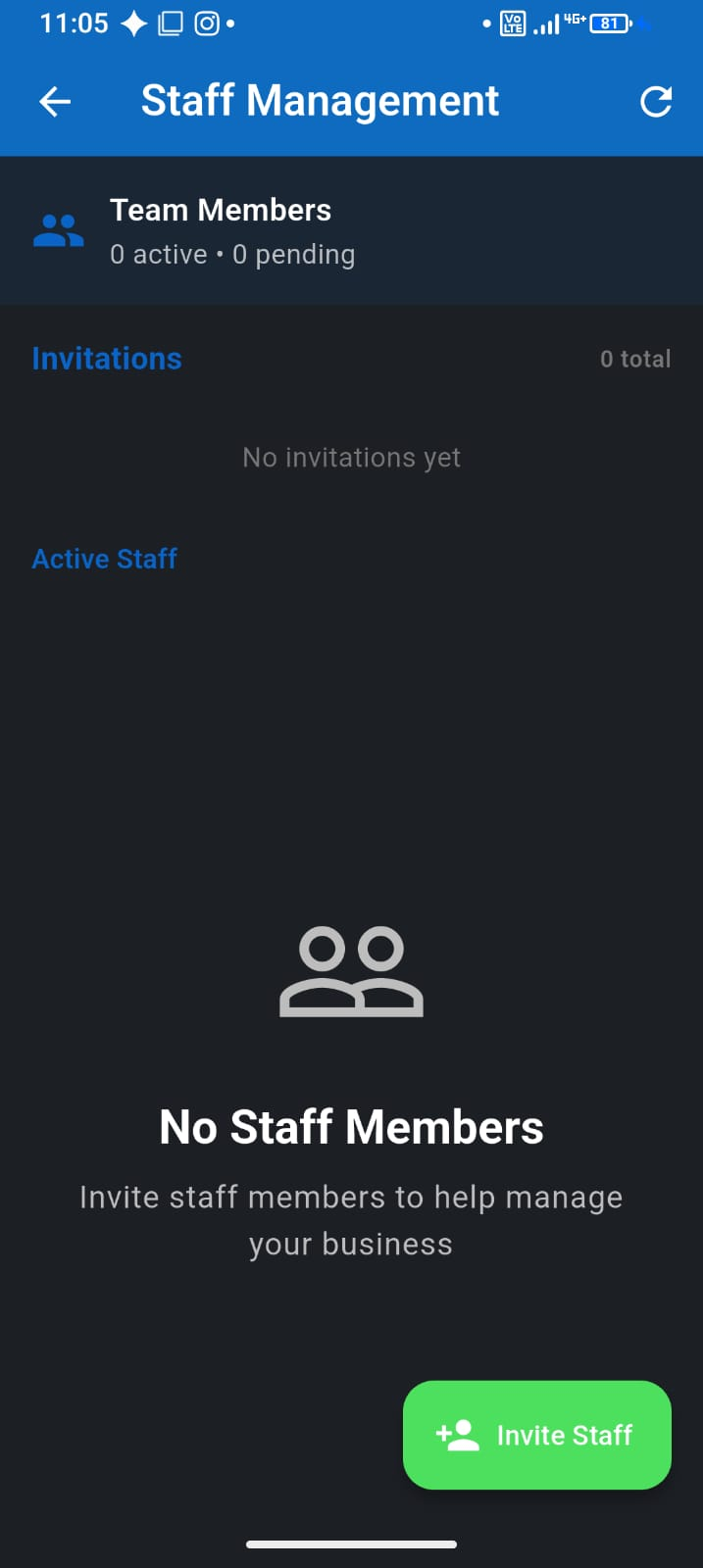
Owner vs cashier
- Owner — full access: settings, reports, staff, subscription
- Cashier — sell, record, and serve customers without changing prices or deleting the business
- Every sale is tied to the business, so your totals stay in one place (shared Free/PAYG quota)
- Each person signs in with their own PIN on their own device
How to invite someone
- On Free or Pay As You Go, invite one Cashier from Settings → Staff Management
- Need a Manager, Spouse role, or more than one helper? Upgrade to Team
- Invite by phone number—they receive a join code
- They install F-Biz, join your business, and start selling
- Review transactions together at closing (see our reconciliation guide)
Trust without micromanaging
You do not need to watch the counter every hour if sales are recorded in real time. Compare day totals to cash and M-Pesa, spot gaps early, and use void/fix sale for genuine mistakes—not as punishment, but as audit trail.
Multiple businesses on one account
If you run more than one shop (chemist and side hustle, for example), switch businesses from My businesses without separate logins. Staff are invited per business—keep each team scoped to the right shop.