
Guides / Mini vs Full
Mini mode vs Full mode
Not every shop needs every tab on day one. F-Biz lets you run a simpler counter experience (Mini) or the full six-tab app (Full)—and switch when you are ready.
New install? Start with the checklist
Both Mini and Full show a green Get your first sale card on the dashboard until you add an item and complete one sale. It is the fastest onboarding path—same steps as our first 30 minutes guide.
Mini mode (Simplify Experience)
Turn on Settings → Simplify Experience for a lighter shell: today’s totals, quick actions, expenses, and who owes you—fewer tabs to hunt through.
- Sales today and Collected today side by side—so deni does not confuse your till count
- Lite sell — fast product taps for common items without the full POS cart flow
- Quick record paths for sales and expenses when you want speed over depth
- Ideal when you are solo, new to the app, or training a cashier on the basics
Full mode (Advanced)
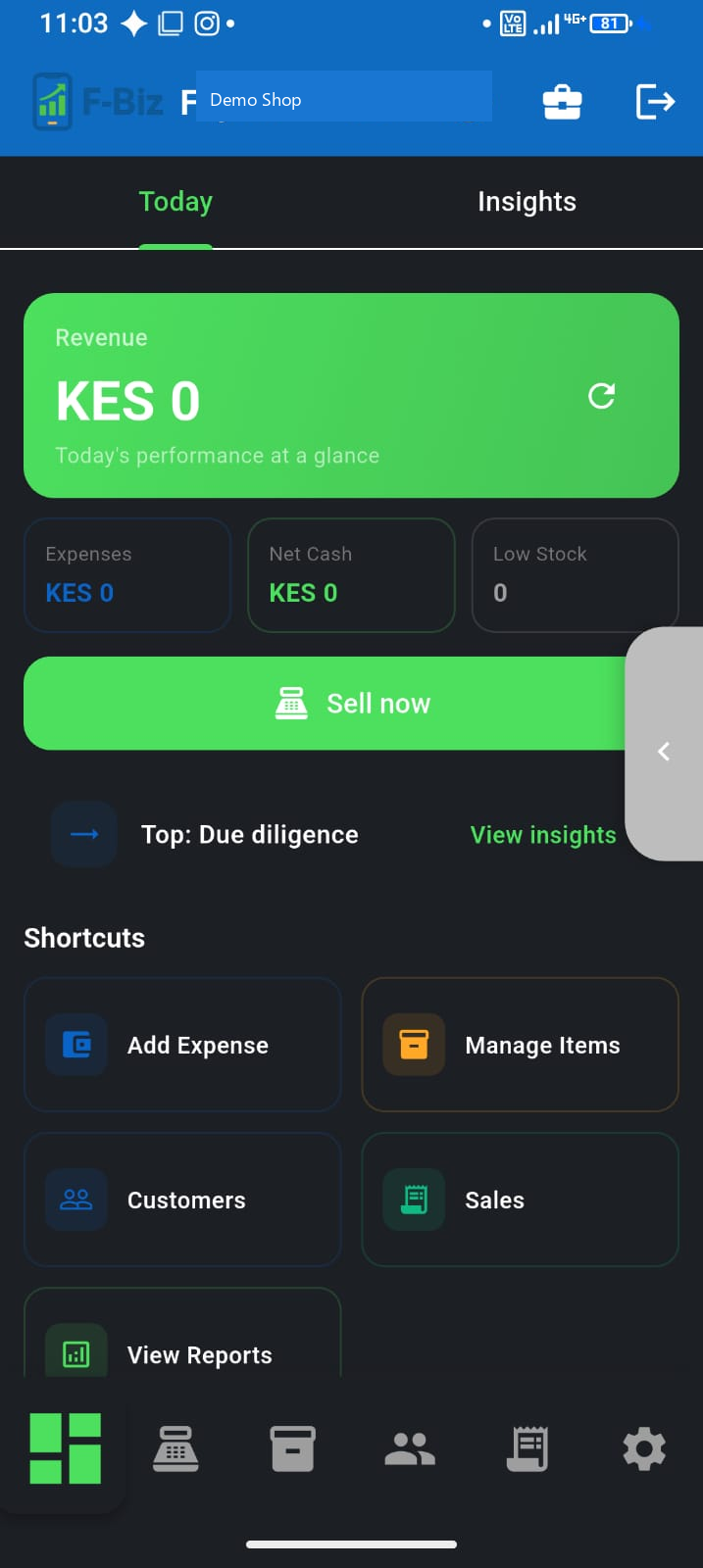
Full mode is the complete goods-shop shell: Dashboard · Sell · Items · Customers · Transactions · Settings.
- Richer dashboard, reports, and Business Insights
- Full Sell cart with discounts, split payments, and barcode flows
- Better when you run staff, deeper stock, or need history every day
How to switch
- Mini → Full: tap Switch to Advanced Mode at the bottom of Mini
- Full → Mini: open Settings and enable Simplify Experience
- Your sales, stock, and customers stay the same—you only change the layout
What to do next
- First 30 minutes with F-Biz (if you have not sold yet)
- M-Pesa at the counter
- Expenses and real profit
- Back to Start here