
Guides / Mobile & offline POS
Mobile-first, offline-first POS for MSMEs
Most Kenyan micro and small shops do not run on a desktop till and stable fibre. They run on a phone in a pocket, patchy data, cash plus M-Pesa, and a queue that will not wait. A POS that assumes always-online PCs was built for someone else.
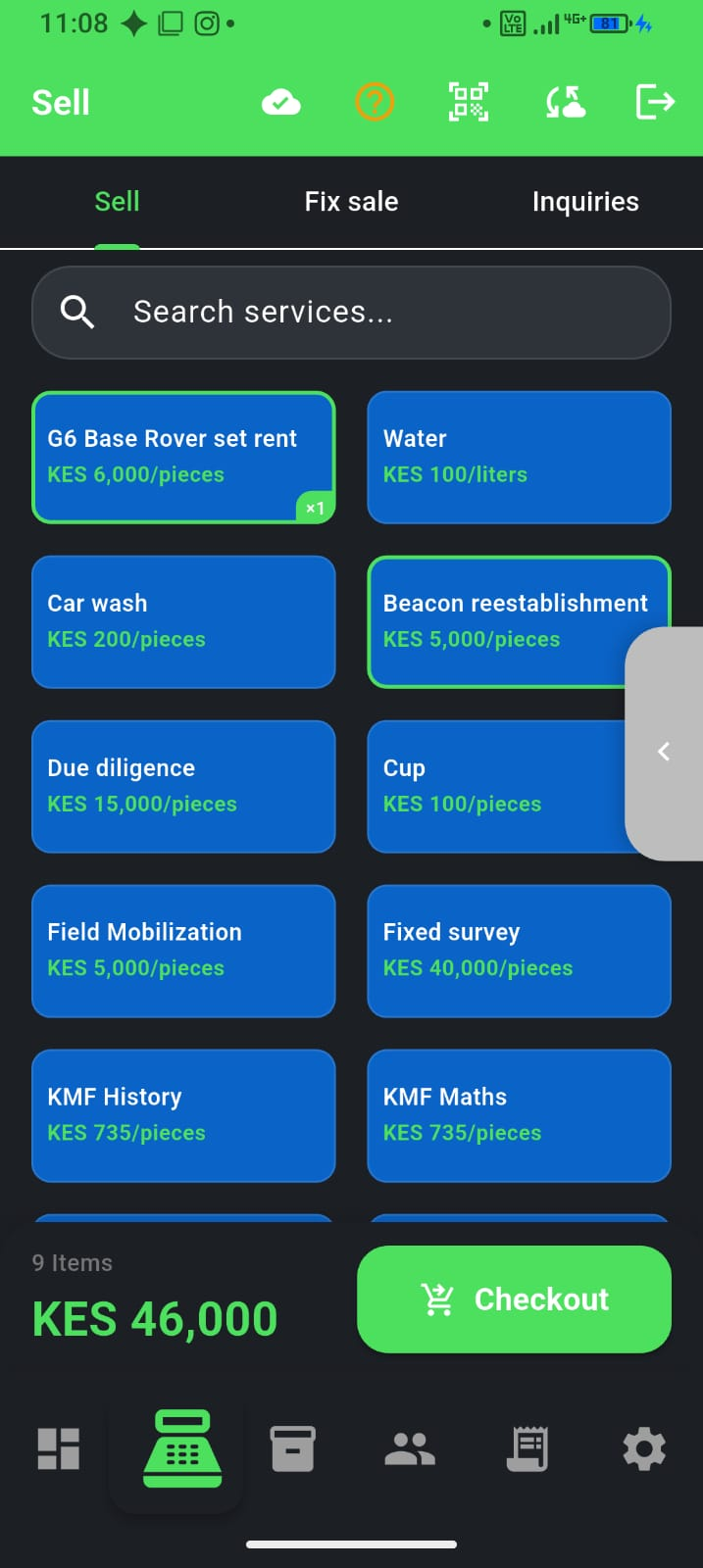
Why MSME POS must be mobile-first
“Mobile-first” is not a marketing label. For dukas, chemists, hardware counters, salons, and mini-marts, the phone is the business computer:
- Owners already carry Android for M-Pesa, WhatsApp, and supplier calls
- There is often no dedicated PC, printer station, or always-on power at the till
- Staff may share one device or rotate phones across shifts
- The shop may move stalls, open late, or sell from a roadside counter
A mobile-first POS is designed for that device: fast tap selling, light data use, PIN or fingerprint unlock, and English & Kiswahili—not a watered-down desktop screen squeezed onto a phone.
Why offline-first matters more than “works offline sometimes”
Many apps claim offline support but still need the cloud to open the till, load prices, or finish a sale. Offline-first means the phone is the system of record during the sale:
- Catalogue and prices already on the device
- Cash sales recorded locally when Wi‑Fi or mobile data fails
- Stock and day totals update on the phone, then sync when the network returns
- The queue does not wait for a server abroad
That is the difference between “we have a fallback” and “the business keeps trading.” For a practical walkthrough of sync and what still needs data (like live M-Pesa prompts), see Offline POS for Kenyan shops.
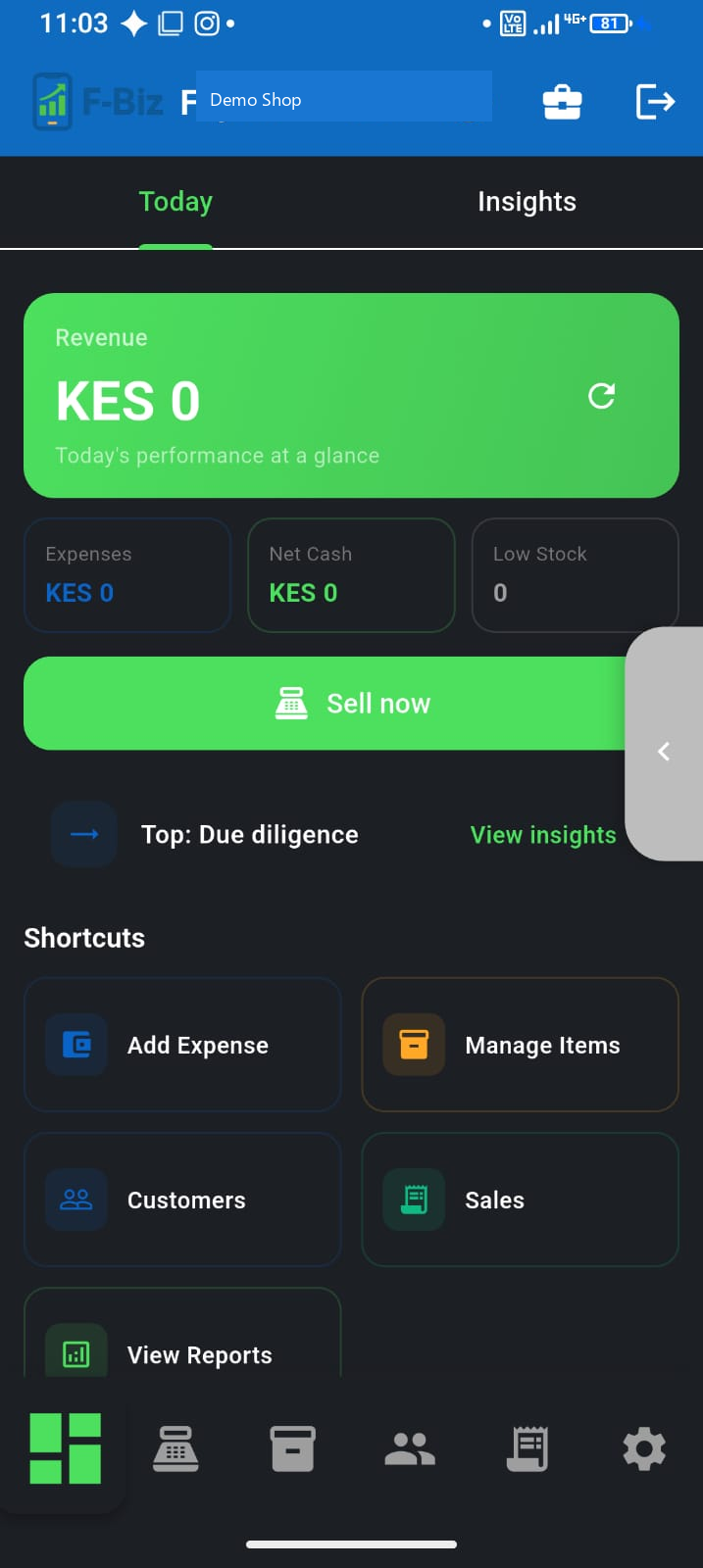
The MSME reality a POS must respect
- Unreliable connectivity — fibre cuts, congested estates, rural data gaps
- Expensive bundles — heavy cloud-only apps tax your margin
- Mixed payments — cash, M-Pesa, and customer deni in one day
- Thin staffing — owner is cashier, stock clerk, and bookkeeper
- Trust at the counter — customers pay when they collect; discovery can be online, settlement is face-to-face
Tools built for malls with card terminals and always-on broadband miss these constraints. MSME software has to win on a mid-range Android phone first.
What “good” looks like for a Kenyan shop
- Sell in seconds — search, scan, or tap; cash or M-Pesa; receipt you can share
- Know the stock — sales reduce inventory so reordering is evidence, not guesswork
- See the money — day totals, expenses, and who still owes (deni)
- Survive the outage — keep cash trade moving; sync later
- Grow without re-platforming — Cashier on Free/PAYG, Managers and branches on Team, Market listing from Free
F-Biz by Fayvad is built around that stack: offline-first Android POS, M-Pesa-ready recording, inventory, and pay-as-you-go options so small shops are not forced into enterprise contracts on day one.
Mobile-first vs desktop POS for MSMEs
| Need | Desktop-first till | Mobile-first offline POS |
|---|---|---|
| Hardware | PC + power + often a printer station | Phone you already own |
| Network outage | Often blocked or degraded | Cash sales continue on device |
| Learning curve | Staff training on a second system | Same device habits as WhatsApp/M-Pesa |
| Data cost | Always-online cloud chatter | Local-first; sync when needed |
| Fit for duka / MSME | Built for larger retail floors | Built for one counter — owner + Cashier when needed |
Who this approach is for
Goods shops and service businesses that need a trustworthy day total without a full IT setup— including chemists, hardware, mini-marts, agrovet, salons, wines & spirits, electronics, and wholesale counters. Explore industry pages under F-Biz for your industry.
How to evaluate any MSME POS (checklist)
- Can you complete a cash sale with airplane mode on?
- Does stock update from sales without a separate spreadsheet?
- Can you record M-Pesa alongside cash and credit?
- Is the app usable on a mid-range Android phone in under 30 minutes?
- Can you switch language (e.g. Kiswahili) without a separate product?
- Is pricing honest for low volume—free start or pay-as-you-grow—not only enterprise quotes?
Start here
- First 30 minutes with F-Biz
- How offline POS works day to day
- M-Pesa at the counter
- Duka inventory on your phone
Download F-Biz by Fayvad on Android—free to start—and treat the phone as the till you already trust.